
AI
AI that shows its citations.
Summaries and fact extraction, built into the deposition workflow, with every extracted fact checked against the testimony it cites. Which provider runs them is a setting your firm controls, on an account your firm holds.
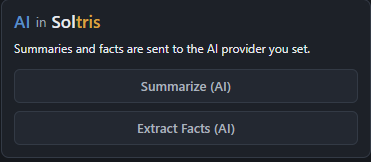
What it does.
Four capabilities, each one landing inside the workflow rather than beside it.
- Summaries, four ways
- Narrative, topical bullets, a page-line index, or Q&A highlights. The format fits the use: a narrative for the partner, an index for the brief.
- Fact extraction
- Testimony becomes proposed chronology facts, each carrying the page-and-line citation it came from. Accept them into the chronology or discard them; nothing enters the record on its own.
- Citation verification
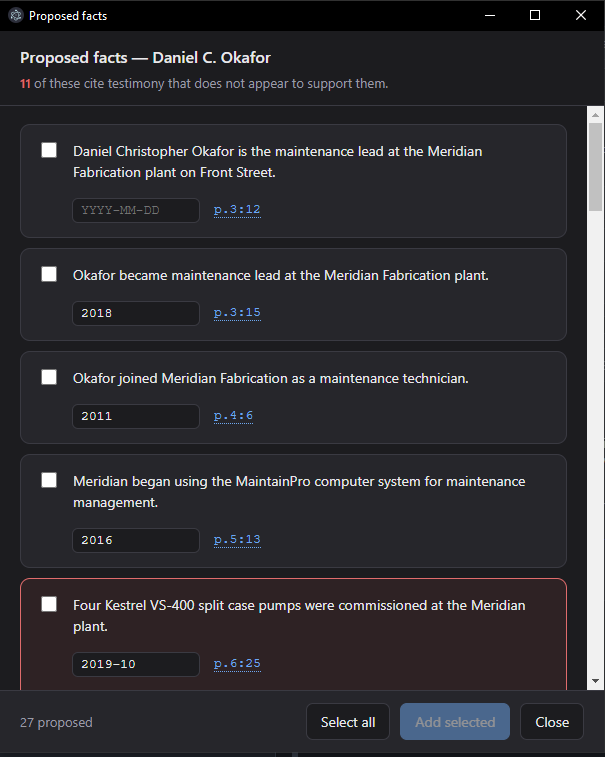
- A second pass checks every proposed fact against the testimony it cites. A fact the testimony does not support is marked, never silently dropped, so the review is of flagged claims, not of everything.
The verification pass, because existence is not support.
A citation that points at a real page is not the same as testimony that says what the fact claims. Soltris checks the second thing: each proposed fact is compared against the lines it cites, and a fact those lines do not support is marked for a human.
Marked facts stay visible in the review window beside the transcript, so the reviewer reads the testimony, not a summary of it, before deciding.
Three providers. Your firm chooses.
The provider is one administrator setting for the whole installation, and it can be left at None. Whichever is chosen, the account is your firm's, the credential is written by your IT and encrypted in your database, and Soltris never sees either.
- Azure OpenAI
- Frontier models under the Microsoft paper your firm has already negotiated, tenancy and retention included. For many firms this adds no new vendor to the security review at all.
- Anthropic
- Claude on your firm's own API account, under your agreement with Anthropic. Strong on long documents, which is what a deposition is.
- OpenAI-compatible
- OpenAI itself, an enterprise gateway your firm fronts its AI traffic with, or an inference server you host on your own metal. If it speaks the API, Soltris can use it.
What it needs to run. Stated plainly.
This is the paragraph that decides whether the feature works on the machines your firm actually owns.
Any workstation that runs Soltris. No special hardware, nothing installed beside Soltris itself, and a network path to the provider your firm chose. In one test, Soltris summarized a 382-page deposition in under a minute and completed fact extraction shortly after, using a standard machine with no dedicated GPU. Actual processing times vary by AI provider, model, network conditions, and document complexity.
See the verification pass on real testimony.
The demo runs a summary and a fact extraction live, opens the review window, and shows a verified citation beside a marked one.